Sunday, July 20, 2014

Thursday, July 17, 2014
C4Ta #4
In Dean Shareski's blog post Encouraging Ownership, he talks about his evaluations done by the students. He says that about 80% of the time it is positive feedback, 10% are indifferent, and 10% it is negative feedback. He admits that sometimes this is his fault but sometimes it is just the student not taking ownership of his own learning. He uses the example of buying a house. When something breaks, the owner must take action to fix it or find someone who can fix it. He say that the house is just like your learning. You are responsible for your own learning. You can't just sit there and absorb the material, you have to be involved and ask question. So take ownership of your learning.

Blog Post #14 and #15
My strengths My Weaknesses
I am very creative. I am very bad with time management.
I make lessons fun for my students. I am not super organized.
I have years of experience with kids.
I am very excited about using project based learning in my future classroom! It is a fun way to keep students interested in what they are learning. It also helps the students learn more because they actually have to do something instead of just listening to the teacher talk.
In the video How to Make an Audio QR Code, we learn how to create a QR code. A QR code is very similar to a bar code. You can take your smartphone and scan the QR code box and it will lead you to whatever information is embedded in the code. In the video, she is creating an audio QR code to send to her students' parents.
In iPad Reading Center, we see the iPads being used in the classroom. She uses the iPad as a reading center. She has the student record himself reading and then listen to it to see if he made any mistakes. These could be a great phonemic awareness tool.
In Poplet with Ginger Tuck, Ms. Tuck shares an app, Poplet, with us. Poplet allows her kindergartners to make webs. She mostly uses the app to help students create information webs after they read a book. This would be a great tool for helping with comprehension.
In AVL and Kindergarten Students, we see how to use Alabama Virtual Library on the iPad in a center. Ms. Tuck will give a word to thee students and the student will then search it in Alabama Virtual Library. They then listen to the examples that the search gave them and draw a picture and write a sentence of what they have searched.
In the video, Tuck iMovie Trailer For Kids, Ms. Tuck shows us what she has learned on iMovie and how she aplies it in her classroom. I love the book trailer idea and will use it in my future classroom.
In Tammy Shirley Discovery Education Board Builder Moon Project, Ms. Shirley show us one of her students boards on Discovery Education. The boards are useful to display what the student is learning on one big page. They can add pictures, videos, anything they want to help them.
We can see two examples of the boards mentioned above, in Mrs. Tassin’s 2nd Grade Class. Example 1 Example 2
In the interview, Using iMovie and Alabama Virtual Library in Kindergarten, Mrs. Davis and Mrs. Bennett discuss using iMovie and Alabama Virtual Library in their classrooms. Mrs. Bennett loves that her kindergarten students enjoy using iMovie. Mrs. Davis talks about how Alabama Virtual Library improves the use of iMovie.
In the interview, Twitter For Educators, Mrs. Davis and Mrs. Bennett discuss how twitter has helped them with keeping up with new things in education. It also has linked them to people from all over the world using one little hash tag.
In Dr. Strange's Talk with Teachers We All Become Learners, the discuss that fact that teachers have to be learners as well. One example that Mrs. Bennett gives is that her student had to show her how to take a picture on the iPad. As educators, sometimes are students are going to know more about technology than us because it is what they grew up with. We just need to accept the fact that that we can learn from our students.

I am very creative. I am very bad with time management.
I make lessons fun for my students. I am not super organized.
I have years of experience with kids.
I am very excited about using project based learning in my future classroom! It is a fun way to keep students interested in what they are learning. It also helps the students learn more because they actually have to do something instead of just listening to the teacher talk.
In the video How to Make an Audio QR Code, we learn how to create a QR code. A QR code is very similar to a bar code. You can take your smartphone and scan the QR code box and it will lead you to whatever information is embedded in the code. In the video, she is creating an audio QR code to send to her students' parents.
In iPad Reading Center, we see the iPads being used in the classroom. She uses the iPad as a reading center. She has the student record himself reading and then listen to it to see if he made any mistakes. These could be a great phonemic awareness tool.
In Poplet with Ginger Tuck, Ms. Tuck shares an app, Poplet, with us. Poplet allows her kindergartners to make webs. She mostly uses the app to help students create information webs after they read a book. This would be a great tool for helping with comprehension.
In AVL and Kindergarten Students, we see how to use Alabama Virtual Library on the iPad in a center. Ms. Tuck will give a word to thee students and the student will then search it in Alabama Virtual Library. They then listen to the examples that the search gave them and draw a picture and write a sentence of what they have searched.
In the video, Tuck iMovie Trailer For Kids, Ms. Tuck shows us what she has learned on iMovie and how she aplies it in her classroom. I love the book trailer idea and will use it in my future classroom.
In Tammy Shirley Discovery Education Board Builder Moon Project, Ms. Shirley show us one of her students boards on Discovery Education. The boards are useful to display what the student is learning on one big page. They can add pictures, videos, anything they want to help them.
We can see two examples of the boards mentioned above, in Mrs. Tassin’s 2nd Grade Class. Example 1 Example 2
In the interview, Using iMovie and Alabama Virtual Library in Kindergarten, Mrs. Davis and Mrs. Bennett discuss using iMovie and Alabama Virtual Library in their classrooms. Mrs. Bennett loves that her kindergarten students enjoy using iMovie. Mrs. Davis talks about how Alabama Virtual Library improves the use of iMovie.
In the interview, Twitter For Educators, Mrs. Davis and Mrs. Bennett discuss how twitter has helped them with keeping up with new things in education. It also has linked them to people from all over the world using one little hash tag.
In Dr. Strange's Talk with Teachers We All Become Learners, the discuss that fact that teachers have to be learners as well. One example that Mrs. Bennett gives is that her student had to show her how to take a picture on the iPad. As educators, sometimes are students are going to know more about technology than us because it is what they grew up with. We just need to accept the fact that that we can learn from our students.
Wednesday, July 16, 2014
C4Tp #4
For my last C4Tp I commented on Building Good C.U.L.T.U.R.E by LangWitches. Silvia Tolisano talks about collaborating with other educators and creating the acronym CULTURE which stands for Collaborate, Understand, Love, Trust, Unite, Respect, Empower. I think that all of these things are important in a classroom. It takes these to build up your students and help them learn.
 \
In her post The Blog Kraken: How to Keep Up with All Your Students’ Blogs?, she talks about ways to keep up with your students blogs. She says that reading every students post, giving feedback, etc. can go south very quickly. She uses Feedly to keep up with everything. You put the students blog URLs in the website, and poof, everyone's blog is at your fingertips. You can view if the student is posting and what they are posting without leaving the one webpage. I will have to use this in my classroom.

Monday, July 14, 2014
Blog Post #13

Although we did quickly cover special education in a past blog post, I think it is something that was left out. Even though most people in the class are not special education majors, I think that is important for all teachers to understand the work and struggles that go along with special education. I also think that it is important because as a teacher, you may be put in an inclusion class (where special needs children are mixed in with the regular classroom) and you will need to know how to handle it.
Blog Post
Browse through A Special Sparkle (a collaborative blog from multiple special education teachers). Find 2 post that you find interesting and write a brief summary of what you learned. Try to think of ways to apply what they say to your classroom.
Some interesting blog post you may enjoy and learn a lot from are:
Adapting Books For Special Needs
10 Tips for Music, Art, and Library with Students with Special Needs
Teaching Kids with Dyslexia
IEP Tips and Tricks
Finding the Positives
Using Scripts to Encourage Language and Interaction
Wednesday, July 9, 2014
Blog Post #12
“iPad Usage For the Blind” and “Teaching Mom What Her Deaf/Blind Child is Learning On the iPad” are both videos that discuss that an iPad has different features that allow sight impaired people to use them just as anyone else would. One can swipe their finger across the homescreen and an automated voice would read aloud the names of the apps and what one should do to use and access them. For example, in iBooks, the automated voice will read aloud the book chosen, as well as tell you the chapter you are reading, and also read aloud the different functions in iBooks that are available on each page of the book such as “Library button” or “Table of Contents”. For our future students that may have sight disabilities we can provide headphones so that those students can have the automated voices speak to them during class without disrupting other students. We would want our disabled students to enjoy school and get the most out of our classes, just as any other student would.
The first three sources that we were given for this blog post were Assistive Technologies for Vision and Hearing Impaired Children, Apple Assistive Technologies and The Mountbatten. These three sources give us different technologies that can be used in the classroom to help vision and hearing impaired students. The Assistive Technologies video talks about how there are so many children that are vision or hearing impaired. The video seems to be a motivation video to make a difference and be able to have these students do what the other students are doing and to not let them be completely limited. The Apple Assistive Technology source was a website that showed different accessories that you can get for an iPad that students can use in the classroom to help them. The Mountbatten video is about the Mountbatten Braille Writer that helps blind students be able to respond in the classroom. When the student brailles, the student announces what the machine is typing in Braille. This machine is able to save files and also send files to a computer. This machine can be helpful in the classroom, especially if a teacher does not know braille. It will help the teacher know what the student is typing because it says it out loud. Both assistive technologies sources will be great to have handy in the classroom because it will help students be able to not have any limitations in the classroom.
In Teaching Math to The Blind a professor at the University of San Francisco talks about a device that he created to help blind students solve simple and advanced math problems. The device is a grid that holds small square pieces. The square pieces has a number written on one side and on the other side the same number is written in braille. With this device teachers are able to teach math to blind students at a younger age. I think that this device would be very useful to me in my classroom. The device will help the blind students model and solve math problems just as a sighted student would.
In the 50 Must See Blogs for Special Education Teachers, there are tons of blogs that could be helpful to any teacher, not just special education. Teaching All Students was a great resource to look at. It had many blog post added weekly that contained different tools that teachers may need. In Dyslexia My Life, Girard Sagmiller shares about his struggle with dyslexia and gives teachers advice on how to teach children with dyslexia. Special Education and Disability Rights Bog is an important blog to review because it explains different legal issues you may face as a special education teacher. My Special Needs Network could be a very helpful blog for teachers. It is a group of blogs from teachers AND parents that could greatly help you understand how to help a child because you don’t only have a teachers view but also a parent view!

Sunday, July 6, 2014
C4Tp #3
The first blog post I read was The Possibilities of Student Blogging. In Silvia Tolisano's post she has a video made by her friend/colleague about how she uses blogging in her classroom. I loved the idea of quad blogging that she brings up in the video. It is where four classrooms around the world work with each other in blogging. Each classroom will write a blog and the other three will comment on it. I like this because sometimes we are afraid to correct someone we know in a blog post but if it is someone we don't know personally, we are more likely to give a helpful response.
 The second post that I read was Documenting FOR Learning. In Tolisano's post, she talks about students using documenting to learn. She list different ways that teachers, students, and schools can use documenting including: further instruction, be aware of own learning growth, and professional development. She uses many different tools to document like photos, videos, and mind maps.
C4T #3
My teacher for this C4Ta is Angela Maiers.
 In the firat blog of hers that I read, How Companies and People Must Adapt in the Social Age, Angela talks about the interview between Ted Coine and Mark Babbitt in their book, A World Gone Social. She summarizes what she takes out of the discussion and also includes the original interview video do that you can watch the video in you want. One of the points she brings up is that students have their own voice. I completely agree with this statement. Students need to know that WHAT they say matters.

The next post I read was called Getting to the Heart of Collaboration. Angela talks about what collaboration is. She says that we miss a very important part of collaboration: value creation. She goes on to say that collaboration has three parts: team, process, and purpose. The steps translate into: two or more people working together toward shared goals. She points out that a group of people using social software is not technically collaboration. In her list of things that she feels makes up collaboration, she has that sharing is constant. I completely agree with this. How are you suppose to collaborate with another person if you're not sharing your thoughts on the subject?
 In the firat blog of hers that I read, How Companies and People Must Adapt in the Social Age, Angela talks about the interview between Ted Coine and Mark Babbitt in their book, A World Gone Social. She summarizes what she takes out of the discussion and also includes the original interview video do that you can watch the video in you want. One of the points she brings up is that students have their own voice. I completely agree with this statement. Students need to know that WHAT they say matters.

The next post I read was called Getting to the Heart of Collaboration. Angela talks about what collaboration is. She says that we miss a very important part of collaboration: value creation. She goes on to say that collaboration has three parts: team, process, and purpose. The steps translate into: two or more people working together toward shared goals. She points out that a group of people using social software is not technically collaboration. In her list of things that she feels makes up collaboration, she has that sharing is constant. I completely agree with this. How are you suppose to collaborate with another person if you're not sharing your thoughts on the subject?
Wednesday, July 2, 2014
Blog Post #10
In the first video, Little Kids...Big Potential, Mrs. Cassidy's class shares about different tools they use in their classroom. In the video, it shows students having fun with the technology. The students are using skype, bogs, podcast, etc. The parents love the idea of their students blogging because they can see what their students are doing in class. This makes it easier for parents to get involved.
In the first part of Dr. Strange's interview with Mrs. Cassidy, she talks about how she got 5 computers in her classroom. She used them as centers because their were not enough for every student in her class. She points out one downside to the computers though. They couldn't download any thing to the computer. Mrs. Cassidy found a way to use blogging to help her students learn. I like that she made a class blog so that the parents can see what is going on in the class. I know I will use this in my classroom!
In the second part of the interview, she talks about how she doesn't even use technology in her personal life. They talk about personal networks and the importance of connecting to other teachers. Dr. Strange and Mrs. Cassidy admit that they were a little skeptic about using twitter. They both had people who encouraged them to try t out and now they both love it!
In the third part, Dr. Strange let some of his students ask Mrs. Cassidy questions. One of the questions asked by a students was how often she used blogs in her classroom. She says that it depends on the part of the year and on the students in her class. She says that she has had students that continue to blog at home.
In the first part of Dr. Strange's interview with Mrs. Cassidy, she talks about how she got 5 computers in her classroom. She used them as centers because their were not enough for every student in her class. She points out one downside to the computers though. They couldn't download any thing to the computer. Mrs. Cassidy found a way to use blogging to help her students learn. I like that she made a class blog so that the parents can see what is going on in the class. I know I will use this in my classroom!
In the second part of the interview, she talks about how she doesn't even use technology in her personal life. They talk about personal networks and the importance of connecting to other teachers. Dr. Strange and Mrs. Cassidy admit that they were a little skeptic about using twitter. They both had people who encouraged them to try t out and now they both love it!
In the third part, Dr. Strange let some of his students ask Mrs. Cassidy questions. One of the questions asked by a students was how often she used blogs in her classroom. She says that it depends on the part of the year and on the students in her class. She says that she has had students that continue to blog at home.
Sunday, June 29, 2014
Blog Post #9
In Seven Essentials for Project Based Learning, John Larmer and John R. Mergendoller give seven thing that a good project needs. Out of the list, I found the most important was Student Voice and Choice. Students learn better when they are interested in what they are learning about. If the students don't care about that particular subject they aren't going to be as engaged. Another one that I found important was A Publicly Presented Product. Students seem to put more into the project when they have to present it publicly. No one want to be the group with the least put together project.
The video Project Based Learning for Teachers did a great job of explaining what project based learning is. I used this video in my presentation of project learning and enjoyed watching it again. Project based learning is centered around a driving question. To answer this question, the student must research and share their finding.
In Andrew Miller's blog post Project Based Learning and Physical Education, he talks about the Seven Essentials for Project Based Learning. He bases is blog post off of the information that Larmer and Mergendoller give and applies it to Physical Education. He follows the same key points and gives an example of Project Based Learning in Physical Education.

In the post Ten Sites Supporting Digital Classroom Callaboration In Project Based Learning, we are introduced to websites that can help enhance project based learning. One site listed that we have used before is Google Docs. This site is used to help students work together even if they can not be in the same room. It allows them to share documents and presentations within their group and put in everyone's input. Another site that I found interesting was Lino. It is a way for you to share what you are writing on your SMARTboard with your students and they can add on as long as you provide the URL. I think this could be a great tool for students who can not come to school. If a student is absent because of being sick then they can pull up the URL and still see what is going on in class and also participate.
I found Two students solve the case of the watery ketchup by designing a new cap very interesting! Two students try to come up with a different bottle cap to stop the water inthe ketchup bottle from coming out. It's so cool that they legit researched what had already been tried and came up with something new.
Special Blog Post
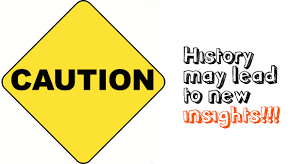
In William Chamberlain's blog post, he addresses a very important question: Why do I have to learn history? I think that we need to learn about history so that we do not repeat our mistakes. We also need to look at what we have done in the past that has worked and do it again. History is kinda a guide to what direction we need to be heading in. Sometimes as humans we do not heed history's warning about certain situations and we do it anyway. Most of the time we can look back and find where it has happened before and what the results were.
Wednesday, June 25, 2014

Sunday, June 22, 2014
C4Ta#2
 My teacher for C4Ta is Dean Shareski.
The first blog of his that I commented on was entitled "Things I was Never Told". He talks about how young teachers don't realize the world they are entering by becoming teachers. He states that he wants to give new teachers a heads up on some issues they will face. The first issue is the lack of professionalism. Teachers used to be as Shareski says "isolated". They could shut their door and just teach without fear of doing something wrong. Now days their is a tension between the administration and teachers. The second issue is rolling the dice with schools. More and more research is showing that the principal is the most important person in a school. If a principal rallys behind the school and is excited about what they are teaching and doing, teachers are happier to teach and students are happier to learn. However, if the principal doesn't care very much it adds pressure on the teachers. The third issue is you're not an instructor. When Shareski graduated college he focused on strategy, instruction, and methods. He says it took him a while to figure out that instruction was only part of his job. 30%-40% of his time was devoted to guided individual learning.
The second blog I commented on was entitled "Visitors and Residents and Virtual Citizenship". Shareski talks about when a school is looking to incorporate the internet into their curriculum, they must first emphazise the dangers of thoughtless online behavior. Most educator just tell their student "don't do bad stuff". He says that this its mostly damage control. Most students are more than visitors of the internet. They are more like residents. Telling a child to not do bad thing online is like telling an American how to be a good US citizen.
C4Tp#2

The first post of hers that I commented on was Back to the Future Project. In this particular blog, Tolisano writes a sentence in English and then a sentence in Portuguese for the majority of her blog. It is kinda distracting but it's part of her blog. She talks about a how Portuguese teacher named Ana Cortez got her 7th and 8th graders excited about learning a target language by using a Life Cycle unit. She asked her students to create a fake facebook page for a character's life, from birth to retirement. (Tolisano includes Cortezs lesson plan in her blog.) They used Google docs. These are some of the examples from Cortez's students:


The second post I commented on was "Copyright Flowchart". Tolisano states that it is the educators responsibility to model good digital citizenship for heir students. The waters are very murky when decided what you can and can not use. When teachers were in school we didn't have all of this technology at our fingertips so sometimes we are not familiar with online policies. This doesn't mean that we can just do whatever we want and then claim innocence. It is our job as teachers to become familiar with these type of things so that we can make out students aware. I loved this chart that she include in her blog. (Sorry it's so big! The next size down was too small to be able to read!)

The second post I commented on was "Copyright Flowchart". Tolisano states that it is the educators responsibility to model good digital citizenship for heir students. The waters are very murky when decided what you can and can not use. When teachers were in school we didn't have all of this technology at our fingertips so sometimes we are not familiar with online policies. This doesn't mean that we can just do whatever we want and then claim innocence. It is our job as teachers to become familiar with these type of things so that we can make out students aware. I loved this chart that she include in her blog. (Sorry it's so big! The next size down was too small to be able to read!)
Blog Post #8
I admire Randy Pausch very much! I love his positive attitude in his last lecture despite that he has cancer. The fact that he could laugh and joke around is awesome to me! My favorite quote from his lecture is "We cannot change the cards we are dealt, just how we play the hand". He has such a positive outlook on life and accepts the fact that he was given only a few months to live. This only made Pausch start living life to the fullest and following his dreams.

During the lecture, Pausch talks about following your childhood dreams. His childhood dreams included being in the NFL and being a Disney Imagineer. He says anything is possible if you want it bad enough and you work toward it. He accomplishes most of his dreams by the time he did his last lecture. As a child, I had millions of thing that I wanted to accomplish in my life. Now some of the things on the list seem silly but others I still with I could do. As teachers, we need to encourage the dreams of children and help then set goals. One thing that really stood out to me in his lecture was when he says “The brick walls are there for a reason. The brick walls are not there to keep us out. The brick walls are there to give us a chance to show how badly we want something. Because the brick walls are there to stop the people who don’t want it badly enough. They’re there to stop the other people.” Sometimes when times get tough we just give up. It is very encouraging to know that even through the tough times Pausch was going through, he broke down his brick walls and kept a positive outlook on life. I have a hard time doing this sometimes. Sometimes I can be a pessimistic person. After watching this video I have realized I don't have a reason to be! I need to quit giving up and break my brick walls down.

Subscribe to:
Posts (Atom)